SnapSteps
Screenshots to step guides

SnapSteps turns a series of screenshots into a numbered, step-by-step manual - and does it entirely on your Mac. No account, no upload, no browser tab. The app ships with no network access at all, so screenshots of internal systems, admin panels and customer records never leave the machine they were taken on.
Capture Or Import
- A global keyboard shortcut grabs a region or a single window, on demand
- Drag and drop or paste images you already have, photos included
- The screen is read only in the moment you press the shortcut - never on a timer, never in the background
Build The Manual
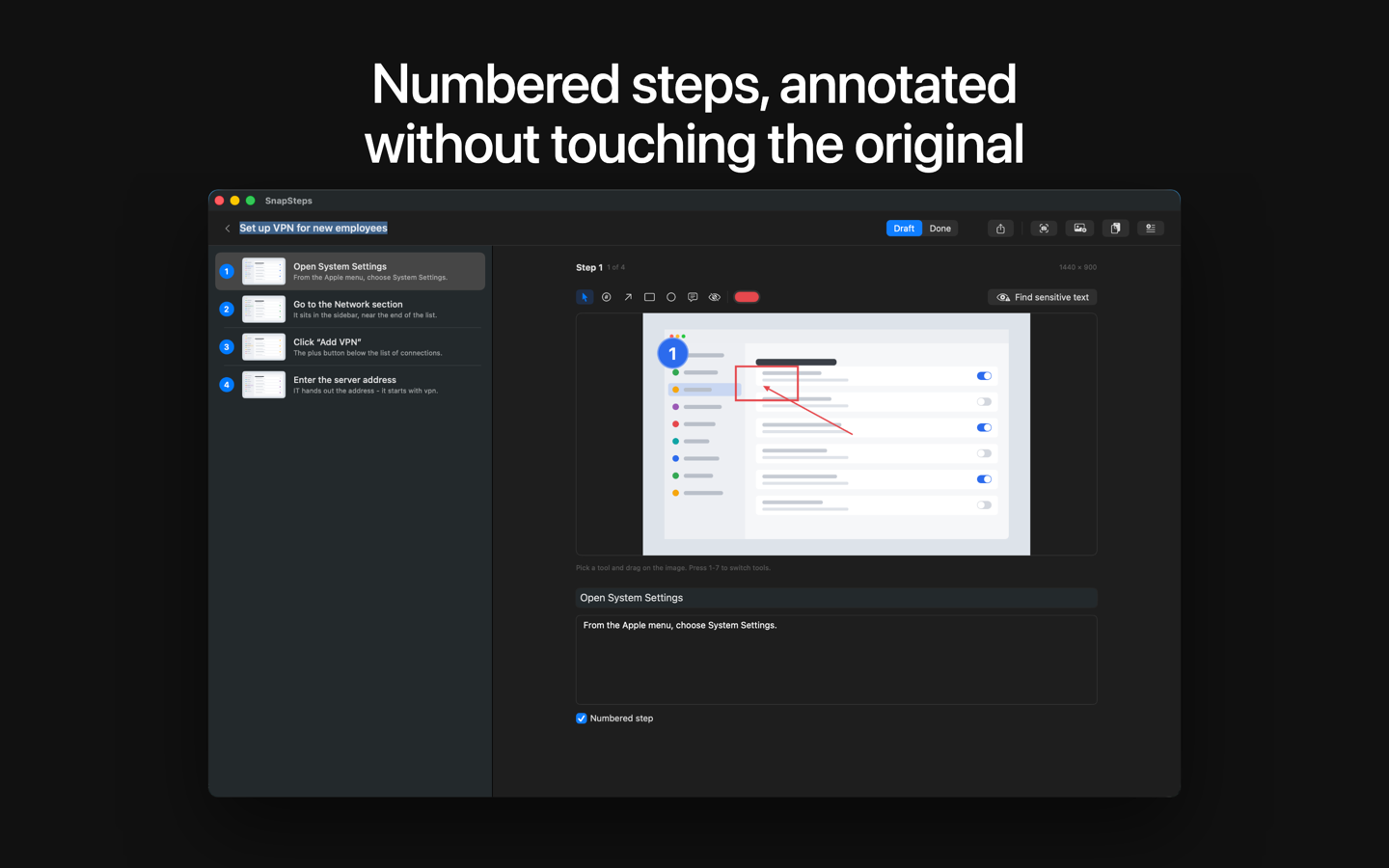
- Numbered steps, each with a title and body text
- Reorder steps and the numbering follows, with no stale badges left behind
- Keyboard-first: a whole document can be assembled without reaching for the mouse
Annotate Without Destroying Anything
- Arrows, boxes, ellipses, callouts and numbered badges
- Blur and pixelate redaction for anything that must not ship
- Every annotation is a vector drawn over an untouched original. Delete it and the screenshot is back, byte for byte - so a manual can be corrected, restyled or re-exported at a different size months later.
Redaction Suggestions, On Device
- SnapSteps scans your screenshots for email addresses, phone numbers, card numbers and key-like strings, and suggests a redaction for each hit
- The scan runs locally. Nothing is uploaded and there is no API key to supply.
- Suggestions become ordinary redaction annotations: undo them, move them, or delete any single one
Export
- PDF with a cover page, table of contents, your logo, an accent color, page numbers, A4 or Letter
- Word (.docx)
- Markdown with an images folder
- Single-file HTML - one file you can attach to an email
- JSON, always free
Manuals are stored in a documented open format (.snapsteps), so your work stays readable without this app.
Fully Localized
English, Spanish, Ukrainian and Russian - interface and exported documents alike.
Free And Pro
SnapSteps is free to download and free to use: unlimited manuals, unlimited editing and every annotation tool. Your first export is clean; after that, exported documents carry a small "Made with SnapSteps" line in the footer. One in-app purchase - SnapSteps Pro, $29, paid once, no subscription - removes it for good. JSON export is never restricted.
Who It Is For
Technical writers, IT and sysadmin teams writing SOPs and runbooks, trainers building onboarding material, and support teams answering the same question for the tenth time.
Requires macOS 14 or later · English, Español, Русский, Українська · $29 one-time